Friday, 20 December 2024

๐–๐ก๐š๐ญ ๐ซ๐จ๐ฅ๐ž ๐๐จ๐ž๐ฌ ๐ฌ๐ž๐ž๐ค ๐ž๐ง๐ ๐ข๐ง๐ž ๐š๐๐ฏ๐ž๐ซ๐ญ๐ข๐ฌ๐ข๐ง๐  ๐ฉ๐ฅ๐š๐ฒ ๐ข๐ง ๐ฐะต๐› ๐ะต๐ฌ๐ข๐ ๐ง?


Search engine advertising, also known as pay-per-click (PPC) advertising, plays a critical role in web design, as it affects how websites are structured, designed, and optimized to maximize their advertising effectiveness. Below are the key ways SEA impacts web design:


1. Landing Page Optimization

  • Relevance: A good SEA campaign sends users to very targeted landing pages. These pages should be aligned with the ad's message, keywords, and user intent.
  • Design for Conversions: Landing pages are often designed with minimal distractions, clear calls-to-action (CTAs), and persuasive design elements to maximize conversions.
  • Mobile-Friendly Design: With many SEA clicks coming from mobile devices, web design needs to ensure seamless mobile experiences to prevent drop-offs.

2. Fast Load Times

  • Page Speed: Google and other search engines consider page speed a determinant of ad quality scores. A web design must, therefore, ensure fast loading pages by optimizing images, compressing code, and ensuring efficient hosting.
  • Performance Metrics: The designer can use Google PageSpeed Insights to check if the site meets performance metrics.

3. User Experience (UX)

  • Easy Navigation: A good website design should allow users to find what they need easily. This minimizes bounce rates and maximizes ad campaign success.
  • Clear CTAs: Obvious buttons, links, and forms that direct visitors toward registration, buying, and download of content.

4. SEO and SEA Compliance

  • Keyword Usage: Integrating keywords in headings, meta description, and content in general makes web design compliant with the requirements of SEO to synchronize organic traffic efforts and campaigns SEA.
  • Ad Copy Continuity: Ad copy continuity with the website's content will build user trust and increase conversion rates.

5. A/B Testing Support

  • Dynamic Content: Web design can have features that support A/B testing of layouts, headlines, and CTAs to determine which ones work well with SEA campaigns.
  • Customizable Design: Flexible design frameworks enable rapid changes based on advertising performance insights.

6. Trust and Credibility

  • Professional Aesthetic: First-time visitors also come from ads. A professional look and feel will instill trust and make users stay longer.
  • Security Measures: Having secure designs, such as HTTPS, is also fundamental because they affect trust levels and user willingness to get involved, especially when in SEA-driven traffic.

7. Integration with Analytics

  • Tracking Pixels: Web design must accommodate tools, such as Google Ads conversion tracking or Facebook Pixels, for measuring the SEA campaign's performance.
  • Heatmaps and Session Recording: Analytics can be embedded to study the behavior of users and optimize the web elements for better campaign ROI.

8. Brand Consistency

  • Visual Consistency: The website design must align with the branding done in the SEA campaigns, such as the logo, color scheme, and typography.
  • Message Consistency: The tone and value propositions in the ads must reflect the content and offerings on the website.

"Find Out What Your Website’s Missing – Let’s Talk Today"

Thursday, 19 December 2024

๐–๐ก๐š๐ญ ๐š๐ซ๐ž ๐ญ๐ก๐ž ๐ฐ๐š๐ฒ๐ฌ ๐จ๐Ÿ ๐ฆ๐š๐ค๐ข๐ง๐  ๐ญ๐ก๐ž ๐ฅ๐จ๐š๐๐ข๐ง๐  ๐ฌ๐ฉ๐ž๐ž๐ ๐จ๐Ÿ ๐ฆ๐ฒ ๐ฐ๐ž๐›๐ฌ๐ข๐ญ๐ž ๐›๐ž๐ญ๐ญ๐ž๐ซ?


Improving the loading speed of your website is crucial for better user experience, SEO, and overall performance. Here are several ways to optimize loading speed:


1. Optimize Images

  • Compress Images: Use tools like TinyPNG or ImageOptim to reduce file size without losing quality.
  • Use Correct Formats: Prefer modern formats like WebP over older ones like PNG and JPEG.
  • Lazy Loading: Load images only when they are about to enter the viewport.

2. Enable Browser Caching

  • Store static files (CSS, JS, images) locally on users' browsers for a set period so that the returning visitors don't need to reload them.

3. Minify Resources

  • Minify CSS, JavaScript, and HTML: Remove unnecessary characters like spaces and comments, in order to reduce the size of the file. Utilize tools like UglifyJS or CSSNano.
  • Combine Files: It will reduce HTTP requests because CSS and JavaScript files will be combined.

4. Use a Content Delivery Network (CDN)

  • Disperse your website's content around a different servers, geographically distributed so it can serve users from a server closest to them; decrease latency.

5. Enable Gzip Compression

  • Compress all files on your website through Gzip or Brotli to reduce transfer size.

6. Reduce HTTP Requests

  • Combine CSS files and JS files.
  • Make use of CSS sprites in image styles.
  • Avoid using unnecessary plugins or external scripts.

7. Optimize Server Response Time

  • Upgrade Hosting Plan: If your traffic gets high, consider VPS or dedicated hosting.
  • Use a Fast DNS Provider: A faster DNS lookup reduces page load time.

  • Optimize Database Queries: Use indexing and cache frequently accessed data.

8. Use Asynchronous Loading

  • Load JavaScript asynchronously to prevent it from blocking the rendering of other page elements.

9. Implement AMP (Accelerated Mobile Pages)

  • AMP optimizes web pages for faster loading on mobile devices.

10. Eliminate Render-Blocking Resources

  • Defer or load JavaScript and CSS files asynchronously to prevent them from blocking the page’s rendering.

11. Keep Your Code Clean

  • Regularly review your HTML, CSS, and JavaScript code to remove redundant code.

12. Monitor and Optimize Third-Party Scripts

  • Remove unused third-party scripts, like tracking codes or social media widgets, that slow down the page.

13. Optimize Fonts

  • Use modern web fonts (e.g., WOFF2).
  • Limit the number of font variants.
  • Include font-display: swap in your CSS.

14. Test and Monitor Frequently

  • Use tools such as Google PageSpeed Insights, GTmetrix, or Lighthouse to identify bottlenecks and receive recommendations.

Wednesday, 18 December 2024

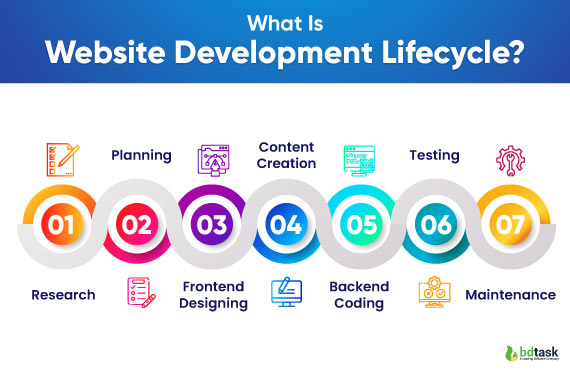
๐–๐ก๐š๐ญ ๐ข๐ฌ ๐–๐ž๐›๐ฌ๐ข๐ญ๐ž ๐ƒ๐ž๐ฏ๐ž๐ฅ๐จ๐ฉ๐ฆ๐ž๐ง๐ญ ๐‹๐ข๐Ÿ๐ž๐œ๐ฒ๐œ๐ฅ๐ž?


The Website Development Lifecycle

is an organized structure outlining the processes involved in the development and maintenance of a website. It makes the development process efficient, well-structured, and productive, which will ultimately produce product of quality and meet users' and businesses' requirementsThere are usually five stages that define the website development lifecycle as follows:

1. Requirement Analysis

  • Objective Definition: Purpose of the website (example: business promotion, e-commerce, information sharing).
  • Audience Identification: Identify the target audience and their needs.
  • Functional Requirements: Identify key features such as forms, user accounts, e-commerce capabilities, etc.
  • Technical Requirements: Define hosting, domain, security, and scalability needs.
  • Functional Requirements: Identify key features such as forms, user accounts, e-commerce capabilities, etc.
  • Technical Requirements: Define hosting, domain, security, and scalability needs.
  • Functional Requirements: Identify key features such as forms, user accounts, e-commerce capabilities, etc.
  • Technical Requirements: Define hosting, domain, security, and scalability needs.

2. Planning

  • Project Scope: Define the timeline, milestones, and resources.
  • Site Architecture: Outline the structure of the website, including the sitemap and page hierarchy.
  • Technology Stack: Select tools, frameworks, and programming languages (e.g., HTML, CSS, JavaScript, PHP, Python).
  • Team Allocation: Assign DesignerDeveloper, and tester roles.

3. Design

  • Wireframes: low-fidelity layouts that illustrate the wireframe structure and placement.
  • Prototypes: interactive model to visualize user journeys and functionality.

  • UI/UX Designingwebsite appearance (UI) and ease of navigation (UX)
  • StakeholderFeedback: Collect and implement feedbacks on the designing.

4. Development

  • Front-End Development building the UI using HTMl, CSS and JavaScript.

  • Back-End Development: This is the development of server-side logic, databases, and APIs that govern data processing and storage.

  • Integration: Connect the front-end and back-end 
  • Responsive Design: Ensure the website works on various devices and screen sizes.

5. Testing

  • Functionality Testing: All features such as forms, buttons, and navigation should work.

  • Compatibility Testing: The website must run smoothly on different browsers and devices.
  • Performance Testing: It measures load times and improves for speed.
  • Security Testing: Look for vulnerabilities and deploy measures like SSL and firewalls.
  • User Acceptance Testing (UAT): Test with real users to ensure it meets expectations.

6. Launch

  • Deployment: Make the website live on the server and set up the domain settings.

  • Monitoring: Start monitoring the website's performance and fix any immediate problems.

  • Promotion: Marketing campaigns, social media, and email should be informed of the launch.

7. Maintenance

  • Bug Fixes: Fix bugs as they happen after the launch.
  • Content Updates: The content added or updated keeps the site relevant.
  • Feature Upgrades: New features are added based on feedback from users or business growth.
  • Performance Monitoring: Through analytics tools, track traffic, conversions, and bounce rates.
  • Security Updates: Software and plugins are kept updated regularly to prevent vulnerabilities.

Monday, 16 December 2024

๐‡๐จ๐ฐ ๐ญ๐จ ๐Œ๐š๐ซ๐ค๐ž๐ญ ๐˜๐จ๐ฎ๐ซ ๐–๐ž๐› ๐ƒ๐ž๐ฌ๐ข๐ ๐ง ๐๐ฎ๐ฌ๐ข๐ง๐ž๐ฌ๐ฌ ๐Ž๐ง๐ฅ๐ข๐ง๐ž


1. Strong Online Presence

  • Professional Website: Your website needs to be an expression of your skills. It includes a portfolio, client testimonies, a blog, and a clear call-to-action, for example, "Request a Free Quote."
  • Optimize with SEO: Use keywords such as "custom web design," "affordable web design services," or location-specific words, for example, "web design in [City]."
  • Mobile Optimization: Ensure that your site is responsive to prove your worth in mobile-friendly designs.


2. Social Media

  • LinkedIn: Share case studies, design tips, and success stories to connect with businesses and professionals.
  • Instagram and Pinterest: Show your work visually. Share before-and-after shots, client testimonials, or design trends.
  • Facebook Groups: Participate in groups where small business owners or entrepreneurs hang out. Provide advice and subtly promote your services.


3. Content Marketing

  • Start a Blog: Write about web design trends, tips for businesses, or common design mistakes. This positions you as an expert.
  • Create Video Tutorials: Use platforms like YouTube or TikTok to create bite-sized content about website improvements or design tips.
  • Ebooks or Guides: Offer free resources, like "10 Steps to a Stunning Website," to capture email leads.


4. Tap into Local Marketing

  • Google My Business: Update your listing with fresh contact information, images, and customer reviews.
  • Local Directories: List your business in local directories or marketplaces.
  • Collaborate Locally: Network with other local businesses (marketing agencies or IT support firms) that can refer clients to one another.


5. Pay-Per-Click Advertising

  • Google Ads: Keywords to advertise for web design services.
  • Social Media Ads: Campaign towards the owners of small businesses, entrepreneurs, or startups on Facebook and Instagram.
  • Retargeting Ads: Apply tools like Google Ads or Facebook Pixel to retarget website visitors who didn't convert


6. Network and Engage Online

  • Quora and Reddit: Answer questions relating to web design, sharing tips, and linking back to your site where relevant.
  • Forums and Communities: Engage in web design and business forums to establish yourself as an expert.
  • Testimonials and Referrals: Encourage satisfied clients to leave reviews on platforms like Yelp or Google.


7. Build an Email Marketing Strategy

  • Newsletter: Share design tips, case studies, or special offers.
  • Lead Magnets: Offer freebies (e.g., a free website audit or checklist) in exchange for email subscriptions.
  • Follow-Up: Use email automation to nurture leads and upsell services.


8. Provide Free or Low-Cost Services

  • Free Consultations: Draw in potential clients with free consultations or audits.
  • Discounts for First-Time Clients or Referrals: Discount services for first-time clients or referrals.
  • Portfolio Building: Serve non-profits or startups to help build your portfolio and generate word-of-mouth referrals.


9. Share Success Stories

  • Case Studies: Share how your designs enhanced a client's online presence or conversions.
  • Testimonials and Reviews: Display them prominently on your website and social media.
  • Pre-/After Images: Show the value to potential clients of your services.


10. Continuously Measure and Improve

  • Track Metrics: Use Google Analytics to follow website traffic and conversions
  • A/B Testing: test two creative ads, landing pages or different e-mail strategies
  • Stay Updated: Follow  Web Design Trends and How They Apply to Your Offerings.

Friday, 13 December 2024

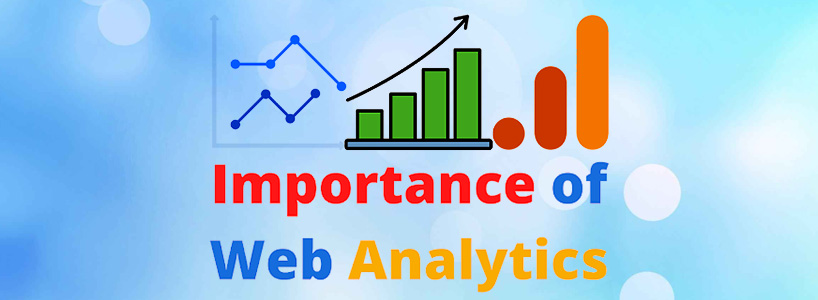
๐“๐ก๐ž ๐ˆ๐ฆ๐ฉ๐จ๐ซ๐ญ๐š๐ง๐œ๐ž ๐จ๐Ÿ ๐–๐ž๐›๐ฌ๐ข๐ญ๐ž ๐€๐ง๐š๐ฅ๐ฒ๐ญ๐ข๐œ๐ฌ ๐ข๐ง ๐–๐ž๐› ๐ƒ๐ž๐ฌ๐ข๐ ๐ง


Website analytics is an essential tool in web design since it provides insight into developing, optimizing, and maintaining a website for users and business purposes. The following are some key reasons why website analytics is critical to web design:


1. User Behavior Insight

Analytics tools like Google Analytics or Hotjar allow one to know how the users engage with the site, including:

Pages visited most often

Time spent on each page

Actions they take (e.g., clicks, form submissions)

Drop-off points in their journey

These insights help web designers create user-friendly interfaces that align with visitor expectations.


2. Optimizing User Experience (UX)

Analytics data highlights pain points in the user journey, such as slow-loading pages or confusing navigation. Designers can use this information to improve site layout, streamline navigation, and enhance content presentation.


3. Driving Data-Driven Decisions

Web analytics ensures that design changes are based on real user data instead of guesswork or personal preferences. This increases the chances of getting the desired results, such as higher engagement or conversions.


4. Enhancing SEO Performance

Analytics on a website reveals:

How users find the website (organic search, social media, or paid ads)

Which keywords drive the most traffic

Pages with high bounce rates

Designers can also make adjustments of content structure and mobile responsiveness, which will improve search rankings.


5. Conversion Metrics Monitoring

E-commerce and business websites often require conversion rate optimization. Analytics can indicate whether the design supports goals such as:

Products being purchased

Newsletters being subscribed

Contact form submissions

All this helps in deciding the placement of call-to-action buttons, forms, or content hierarchy.


6. Benchmarking and Improvement

Analytics enables designers to measure the performance of a website and compare it with industry standards or competitors. KPIs, such as page load speed, traffic, and engagement, can be tracked to iteratively improve the website over time.


7. Justifying ROI on Design Investments

Analytics provide tangible proof of how design changes impact key business metrics. For example, a redesigned landing page that improves conversion rates directly demonstrates ROI to stakeholders.


"Find Out What Your Website’s Missing – Let’s Talk Today"


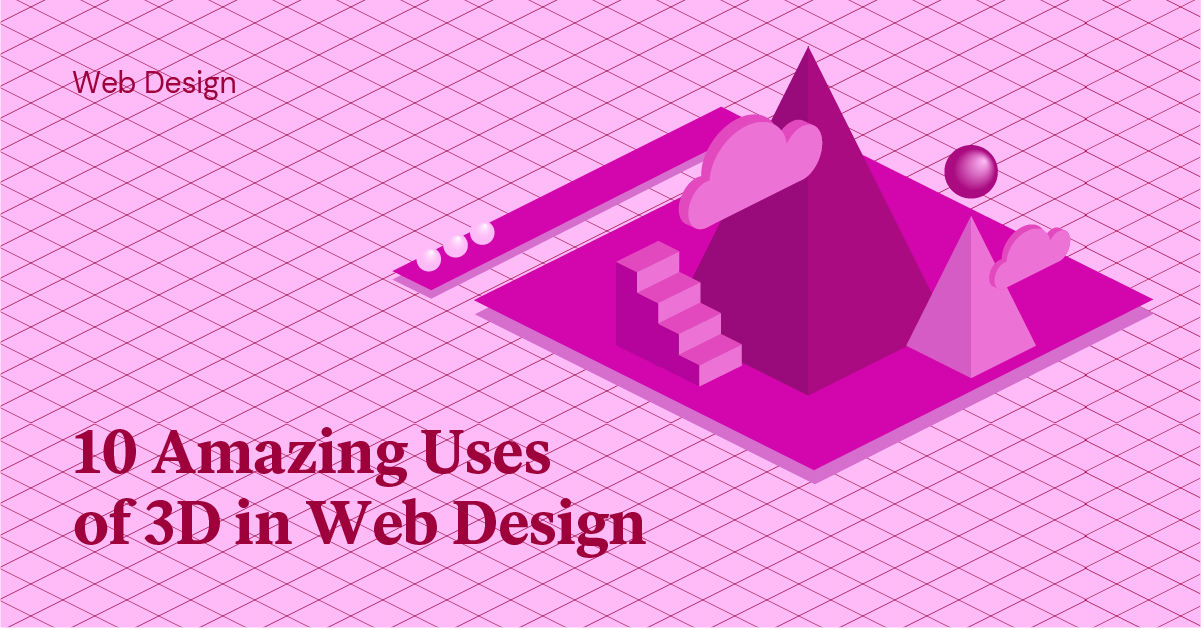
3๐ƒ ๐„๐ฅ๐ž๐ฆ๐ž๐ง๐ญ๐ฌ ๐ข๐ง ๐–๐ž๐› ๐ƒ๐ž๐ฌ๐ข๐ ๐ง


Interactive User Interfaces:

  • 3D objects can respond to user interactions, such as clicks, drags, or hovers, creating immersive experiences.
  • Examples include product configurators (e.g., rotating a shoe to view all angles) or interactive maps.
3D Illustrations and Icons:

  • The use of 3D illustrations in headers, hero sections, or as part of the content adds depth and realism.
  • Icons in 3D style are more modern and playful than flat icons.
Product Visualizations:

  • 3D models of products provide realistic previews to the users. This is very helpful in the e-commerce, architecture, and automotive industries.
  • Virtual try-ons and interactive 3D models of furniture or gadgets are some examples.
3D Typography:

  • Text, when rendered in 3D styles, is catchy for headlines and gives depth to the design.
  • It can also be animated to make the visual effect more prominent.
Animations and Transitions:

  • 3D transitions, such as flipping cards or rotating objects, make navigation and interactions more engaging.
  • Animated 3D logos and page elements create memorable brand experiences.
Virtual Reality (VR) and Augmented Reality (AR):
  • Web-based VR and AR experiences rely heavily on 3D elements to create interactive environments.
  • Examples include virtual tours, AR product previews, and gamified experiences.
Backgrounds and Visual Depth:

  • 3D backgrounds and parallax scrolling create an illusion of depth, making websites more dynamic and visually appealing.
Storytelling and Branding:

  • 3D elements help brands stand out by conveying stories or concepts through visually compelling scenes.
  • They make abstract ideas more tangible and relatable.

Benefits of 3D Elements in Web Design

Enhanced User Engagement:

  • Interactive and visually appealing elements capture attention and encourage longer site visits.
Improved Communication:

  • 3D models and illustrations represent complex ideas much better than static 2D images.
Memorability:

  • Unique 3D designs make a website unique, allowing brands to create memorable impressions.
Realism:

  • 3D visualizations give a life-like feel to products and concepts, thus making the user experience more realistic.
Flexibility:

  • Lightweight 3D elements can be created using modern tools, which does not hamper the performance of the website.

Disadvantages of Using 3D Elements

1. Performance Impact:
  • High resolution 3D elements slow down websites if not optimized.

2. Compatibility Issues:
  • The older versions of browsers or devices might not support newer 3D technologies such as WebGL.

3. Design Complexity:
  • To create and incorporate 3D elements requires specialized skills and tools.

Tools for Creating 3D Elements
  • Blender: Open-source software for creating 3D models and animations.
  • Three.js: A JavaScript library for rendering 3D graphics in web browsers.
  • Spline: A tool for designing and integrating 3D elements into websites.
  • Cinema 4D: A professional tool for creating advanced 3D designs.

Thursday, 12 December 2024

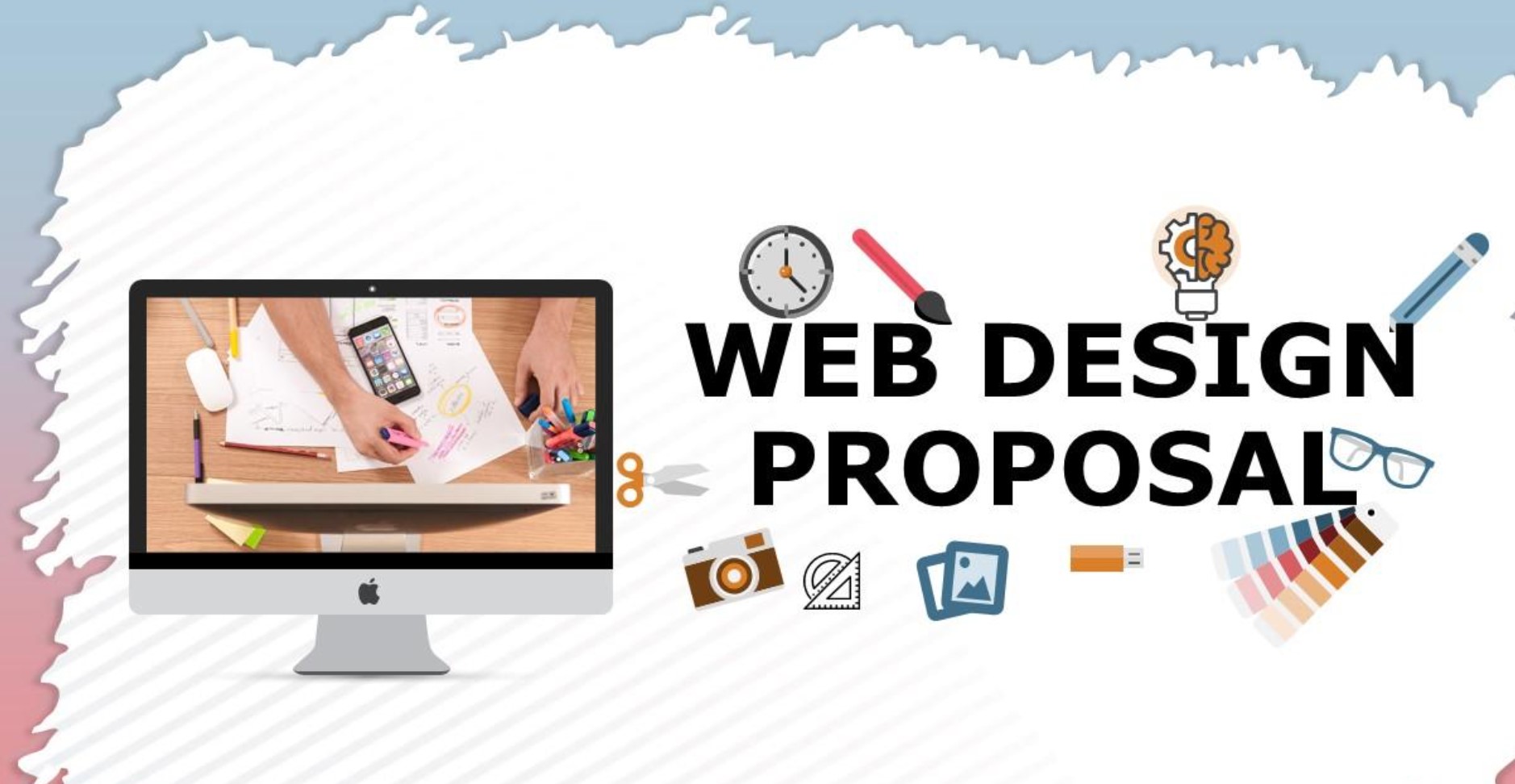
๐‡๐จ๐ฐ ๐ญ๐จ ๐‚๐ซ๐ž๐š๐ญ๐ž ๐š ๐–๐ž๐› ๐ƒ๐ž๐ฌ๐ข๐ ๐ง ๐๐ซ๐จ๐ฉ๐จ๐ฌ๐š๐ฅ ๐Ÿ๐จ๐ซ ๐‚๐ฅ๐ข๐ž๐ง๐ญ๐ฌ


1. Know the Needs of the Client

  • Discovery call or meeting to learn about the client's business, goals, target audience, and specific needs.
  • Request for references or examples of designs they like and why.

2. Begin with a Professional Cover Page

  • Incorporate your business name, logo, and contact details.
  • Client's name, project title, and the date of submission.
  • A compelling title like "Custom Web Design Proposal for [Client’s Business Name]" can add a personal touch.

3. Write an Introduction or Executive Summary

  • Briefly introduce yourself or your company.
  • Highlight your expertise in web design and why you’re the ideal choice for this project.
  • Summarize what the proposal contains.

4. Define the Scope of the Project

  • Goals: Clearly state the website’s purpose (e.g., e-commerce, portfolio, informational).
  • Features: List of the most important features (responsive design, contact forms, SEO optimization, CMS integration).
  • Deliverables: Specify what you will deliver (wireframes, mockups, final design, ongoing support).

5. Design Process

  • Break down your workflow into clear phases:

  • Research & Discovery: Understanding client goals and audience.
  • Wireframing & Prototyping: Creating initial layouts and interactive prototypes.
  • Design & Development: Implementing the visual design and functionality.
  • Testing & Feedback: Ensuring the website works seamlessly across devices and browsers.
  • Launch & Support: The launching of the website and provision for after-launch support.

6. A Project Timeline

  • Apply the Gantt chart or table to outline the various milestones and deadlines.
  • Break up the realistic timeframe applied in each stage of the project.

7. A Pricing Breakdown

  • Make costs open by breaking them into categories such as: design, development, hosting, maintenance, among others.
  • Payment terms- apply the 50% payment in advance, the balance paid on completion

8. Explain the Value Proposition

  • Highlight your benefits as a collaboration partner (e.g., enhanced UX, SEO-friendly designs, scalable).
  • Offer project samples or testimonials from clients for credibility.

9. Add Terms and Conditions

  • Describe limits on revisions, payment terms, ownership of the final design, and confidentiality agreements.
  • Add in a termination clause and dispute resolution process.

10. End with a Call to Action

  • Clearly describe next steps, such as signing the agreement, setting up a kickoff meeting.
  • Attach space for the client's signature and date.

11. Appendices to Relevancy

  • Portfolio Examples.
  • Technical specification detailed information.
  • References or testimonials.

Best Patterns Generator Websites for Your Design

  1. Pattern Monster Free online tool to generate seamless SVG patterns. Customizable colors, shapes, and scales. Download in multiple forma...