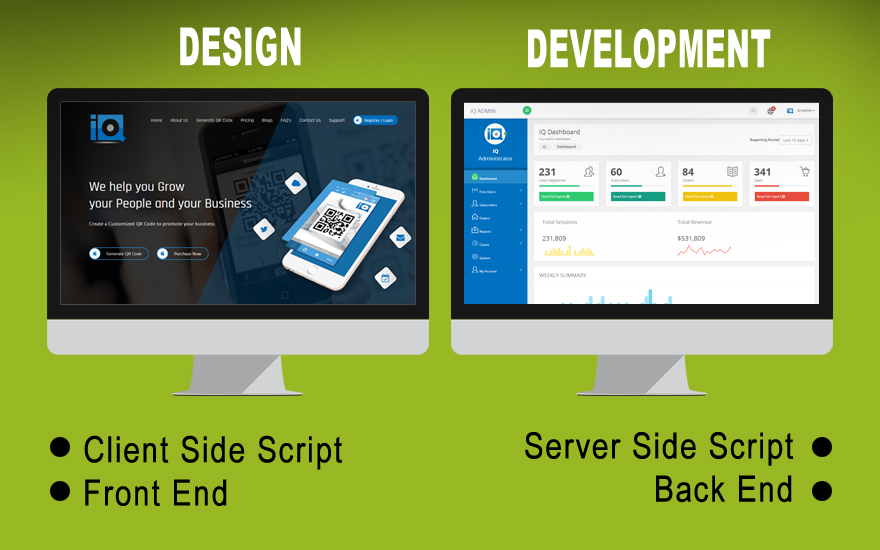
Both web design and web development are compulsory components in making any website, but they involve different skill sets with different focus aspects on the process. Here's a breakdown of the key differences:
1. Focus Area:
Web Design: Primarily, web design involves the aesthetic aspects of a website, including designing the layout, structure, and, as a whole, the look and feel of the website so that it could be friendly and appealing to users while remaining functional. It focuses on how to achieve the following for users:
- User Experience (UX): Making sure the website is easy to navigate and the experience is smooth for visitors.
- User Interface (UI): The aspects that the users interact with, which may be buttons, forms, or navigating menus.
- Visual Design: Color schemes, typography, images, and all other graphic elements.
Web Development: In web development, the focus is on developing and maintaining the functionality of a website. Developers take the designs from the web designers and bring them into action by writing codes. This is a more technical role-involving
- Front-End Development: This includes the part of the web development process that concerns the visible parts of the website, that is, those a user sees and interacts with. Here comes HTML, CSS, and JavaScript.
- Back-End Development: This concentrates on the server side of a website; here comes the question of databases, server configuration, and everything behind the scenes that has to happen before a website can function. Usually, it involves languages such as Python, PHP, Ruby, or Java.
2. Required Skills:
Web Design: Designers should have a strong understanding of design principles, creativity, and possibly some psychology regarding users.
- The tools for designers are:
- Graphic Design Software: Photoshop, Illustrator, Figma, Sketch.
- Web Design Tools: Adobe XD and others InVision-related for planning and prototyping.
- Basic Coding Understanding: In some cases, designers also have to understand HTML and CSS, especially when making responsive design.
- Web Development:
Competencies and Key Skills:
Strong coding capabilities are needed. Should be familiar with a variety of programming languages, frameworks, and tools. Some of the key skills include:
Front-End- HTML, CSS, JavaScript, and front-end frameworks such as React or Angular.
Back-End: Server-side languages (PHP, Python, Node.js) and databases (MySQL, MongoDB, PostgreSQL).
Web Frameworks- Laravel, Django, Ruby on Rails, or Express.js.
Version Control- Git and other SCM tools to manage code versions, collaborate, and so on.
3. End goal:
Web Design:
Web design is the process of creating an attractive website that most visitors can use easily. The basic focus areas for designers are aesthetic quality, usability, and interaction.
Web Development: The objective of web development is to create the functionality of the site. Developers ensure that the site works well, loads quickly, and has features like contact forms, login pages, or shopping carts. It's performance and functionality oriented.
4. Process:
Web Design:
Research and planning in order to understand who the target audience is and the reason for the site.
Creating wireframes, mockups, and prototypes to visualize the design.
Focusing on user interface and user experience so that the design will be very intuitive.
Web Development:
Translating the design files into actual code
Adding responsive design so that site functionality should be accessible on all devices
Writing code to handle data, manage server-side tasks, and security.
Test for bugs, compatibility, and performance
5. Tools Used:
Web Design:
Figma, Sketch, Adobe XD, Photoshop, InVision
HTML knowledge to style and layout, CSS knowledge in styling and layout
Web Development:
Front-end: HTML, CSS, JavaScript, React, and Vue.js.
Back-end: PHP, Python, Ruby, Java, Node.js, SQL-based databases.


No comments:
Post a Comment