Friday, 17 January 2025

𝐖𝐡𝐚𝐭 𝐢𝐬 𝐚 𝐛𝐨𝐨𝐭𝐬𝐭𝐫𝐚𝐩? 𝐇𝐨𝐰 𝐈𝐭 𝐮𝐬𝐞𝐝 𝐢𝐧 𝐖𝐞𝐛 𝐃𝐞𝐬𝐢𝐠𝐧𝐢𝐧𝐠 & 𝐖𝐞𝐛 𝐃𝐞𝐯𝐞𝐥𝐨𝐩𝐦𝐞𝐧𝐭.


What is Bootstrap?

Bootstrap is the most popular, fully open-source front-end framework for designing and developing responsive, mobile-first websites and web applications. Created by Twitter, it provides pre-designed components, CSS, and JavaScript utilities to make the job of Web design and development easier.

Core Features of Bootstrap

Responsive Grid System

It uses a flexible 12-column grid layout to develop responsive designs that suit any screen size.


Pre-designed Components

Includes pre-designed UI components such as buttons, navbars, modals, forms, cards, and carousels.


CSS Classes

Provision of different pre-defined classes for typography, spacing, and alignment.


JavaScript Plugins

Preparation of JavaScript-based components like tooltips, dropdowns, modals, and sliders.


Customizability

It lets developers override default styles or even extend functionality through custom CSS and JS.


Browser Compatibility

Suits perfectly across modern browsers, and it includes fallbacks for older ones too.


How Bootstrap is Used in Web Designing & Development

1. Responsive Web Design

Bootstrap makes it really easy to make a website which is visually great on desktop, tablet, and smartphones.

The grid system and the responsive utilities change the layout according to the sizes of the screen.

2. Rapid Prototyping

Using pre-built components and templates, developers can easily build rapid prototypes without using custom CSS and JavaScript.

3. Consistent UI

Using standard components will give consistent look and feel to the web pages.

4. Cross-browser Compatibility

Bootstrap reduces inconsistencies in browsers, thereby consuming lesser testing and debugging hours.

5. Minimized Development Hours

The developers need not spend time creating many solutions since most of the features are inbuilt.

"We Can Help You Build Your Website – Contact Us Now!"

Thursday, 16 January 2025

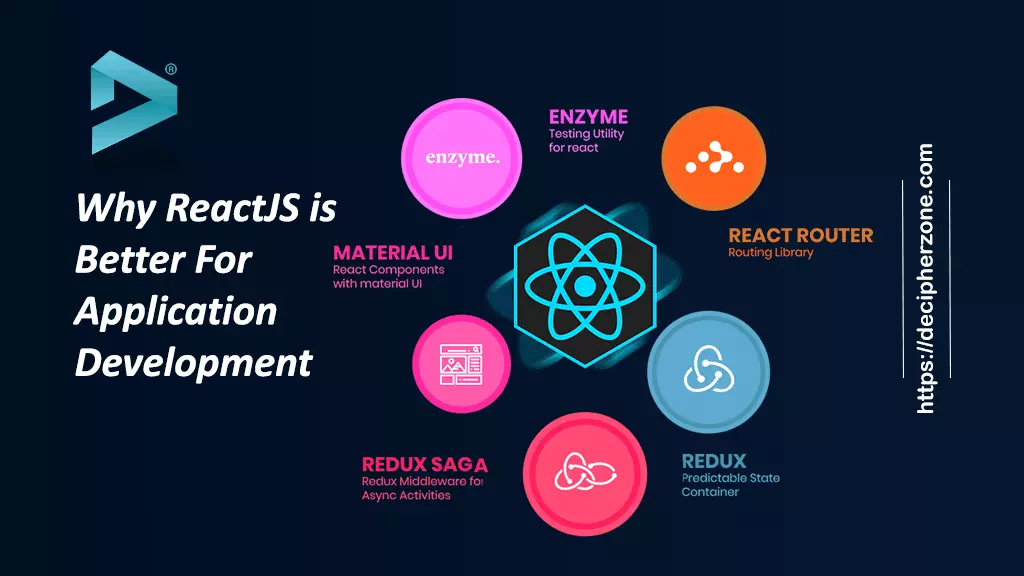
𝐖𝐡𝐲 𝐑𝐞𝐚𝐜𝐭𝐉𝐬 𝐢𝐬 𝐁𝐞𝐭𝐭𝐞𝐫 𝐅𝐨𝐫 𝐀𝐩𝐩𝐥𝐢𝐜𝐚𝐭𝐢𝐨𝐧 𝐃𝐞𝐯𝐞𝐥𝐨𝐩𝐦𝐞𝐧𝐭


1. Component-Based Architecture

ReactJS follows a component-based architecture. This means that developers can encapsulate the components and manage their own state while allowing the application for reusing across the application. Thus this approach:

  • Speeds up development
  • Ensures code reusability and maintainability
  • Increases scalability for large applications


2. Virtual DOM for Higher Performance

React uses a virtual DOM to accelerate updates to the actual DOM. When the state of an object changes, only the part of the DOM is updated that changes, not refresh the whole page. This leads to:

  • Faster rendering.
  • Greater performance for dynamic and complex applications.


3. Huge Ecosystem and Tooling

  • React has a giant ecosystem of libraries and tools with:
  • React Dev Tools: debug and inspect the components.
  • State management libraries: Redux, Context API, and MobX for complex application states.

  • Next.js: a React-based framework for server-side rendering (SSR) and static site generation (SSG).
  • This ecosystem simplifies development and enables advanced functionality.


4. SEO-Friendliness

  • JavaScript frameworks are typically not SEO-friendly because search engines have a hard time indexing dynamic content. This is solved with React by supporting server-side rendering (SSR) through tools like Next.js, which helps improve the performance of web applications in terms of SEO.


5. Strong Community Support

React has a robust, active developer community that offers the following:

Documentations

  • Tutorial, forums, and resource availability for debugging issues
  • Frequent updates and enhancement, based on the feedback from community
  • It's easier to learn and adapt with help in solving issues.


6. Flexibility and Integration

  • React can easily integrate with other frameworks and libraries for customization. Moreover, it's framework-agnostic, and so it works very well along with AngularJS, Vue.js, or even Vanilla JavaScript.


7. Quicker Development with JSX

  • React uses JSX (JavaScript XML), which lets developers write HTML structures within JavaScript code. This makes the code more readable and easier to debug, which helps in speeding up development.


8. Strong Emphasis on Mobile with React Native

  • Not limited to web development, React Native allows developers to create mobile applications for iOS and Android based on the same principles and components of ReactJS, making it easier for companies to maintain consistency across platforms.


9. Industry Leaders

  • React is used by the giants of tech: Facebook, Instagram, Airbnb, Netflix, and many others. Its proven track record powering high-traffic and mission-critical applications proves its reliability.


10. Future-Proof and Scalable

  • ReactJS is designed to handle growing applications effectively. Its modular architecture and efficient updates through the Virtual DOM make it suitable for scaling projects as business needs evolve.


"We Can Help You Build Your Website – Contact Us Now!"


Wednesday, 15 January 2025

𝐈𝐦𝐩𝐨𝐫𝐭𝐞𝐧𝐜𝐞 𝐎𝐟 𝐀𝐧𝐠𝐮𝐥𝐚𝐫 𝐢𝐧 𝐅𝐫𝐨𝐧𝐭-𝐄𝐧𝐝 𝐖𝐞𝐛 𝐃𝐞𝐯𝐞𝐥𝐨𝐩𝐦𝐞𝐧𝐭


 1. Component-Based Architecture

  • Modular Design: Angular's architecture is based on reusable components that are easier to handle, create, and test applications.
  • Encapsulation: Every module owns its logic, template, and styles for a clean separation of concerns.


2. Two-Way Data Binding

  • Real-time synchronization: Angular two-way data binding automatically updates the view when data model changes and vice versa, thus reducing boilerplate code and enhancing productivity.


3. Dependency Injection (DI)

  • Simplified Management: Angular's DI system allows the management of service dependencies easily, leading to better code organization and testability.


4. Built-in Directives

  • Increased Interactivity: *ngFor, *ngIf, and custom directives help developers to dynamically manipulate the DOM and provide interactivity in applications.


5. TypeScript Integration

  • Better Code Quality: Angular is built using TypeScript, which is a superset of JavaScript and offers static typing, improved error handling, and modern ES features.
  • Developer Productivity: TypeScript makes it more readable and maintainable; hence, less runtime error.


6. Rich Ecosystem and Tooling

  • Angular CLI: Angular Command-Line Interface made easy, from setting up a new project to scaffolding to deployments.
  • RxJS: Well-integrated reactive programming aid to better asynchronous data streams handling .


7. Single-Page Applications (SPA)

  • Dynamic Experiences: Angular truly celebrates SPAs, where in it possible for users to interact with the application by not pinging the server much, resulting in a more seamless user experience.
  • Routing: Angular has the powerful router module that controls the application's navigation and state in SPAs.


8. Cross-Platform Capabilities

  • PWA Support: Angular is used to build Progressive Web Apps, integrating features of both web and mobile applications.
  • Native Development: Tools such as NativeScript let Angular developers develop mobile applications.


9. Community and Enterprise Support

  • Large Community: The vast community and thorough documentation make it simpler to get out issues and know about best practices.
  • Trusted by Enterprises: Angular is backed by Google and widely adopted by enterprises for its scalability and maintainability.


10. Long-term Maintenance and Updates

  • LTS (Long-Term Support): Google ensures regular updates for security, performance improvements, and modern features.

"We Can Help You Build Your Website – Contact Us Now!"

Tuesday, 14 January 2025

𝐀𝐧𝐠𝐮𝐥𝐚𝐫 𝐕𝐬. 𝐑𝐞𝐚𝐜𝐭 𝐰𝐡𝐢𝐜𝐡 𝐛𝐞𝐭𝐭𝐞𝐫 𝐟𝐨𝐫 𝐟𝐫𝐨𝐧𝐭 𝐞𝐧𝐝 𝐝𝐞𝐯𝐞𝐥𝐨𝐩𝐦𝐞𝐧𝐭?


What is Angular?

Angular is a robust framework for building web applications, mainly single-page applications (SPAs). Think of an SPA as a website that's more like an application you'd download and has smooth transitions with dynamic updates without loading the whole page. Angular does this by providing a structured development environment. It uses TypeScript, an extension to JavaScript that supports features such as type checking. This makes your code more organized and easier to maintain, especially for complex projects. Angular also separates concerns using the Model-View-Controller architecture, which keeps your code clean and organized by separating data (Model), how it's displayed (View), and how the user interacts with it (Controller). Although Angular is a little steeper in the learning curve, its structure and features are well-suited for building large-scale, enterprise-level web applications.


Key Features of Angular

  • Easy to build, manage, test, and update.
  • Features built-in are Rxjs and AngularCLI.
  • Easy to build, manage, test, and update.
  • Views can be supported without browser-side rendering.
  • Server-side rendering happens pretty fast.
  • Good encapsulation and an easy-to-understand application framework.


What is React?

On the contrary, React is a JavaScript library to build reusable UI components and implement views for client-side web application UI. And whereas Angular relies on a broad framework, react has a highly flexible approach revolving around reusable elements. Think about building blocks being able to hook onto one another. In this fashion, every component gets its own responsibility, so your stuff becomes easy to understand, easily maintainable and re-usable throughout your program. ReactJS also employs a virtual DOM that serves as a copy of the real web page, in memory. This way, React can detect changes quickly and update only parts of the real DOM, greatly improving performance on dynamic UIs, which update continuously. It is easy to learn and have a faster development cycle due to its emphasis on UI components and less strict structure. It is, therefore, ideal to use when creating interactive web features and single-page applications with emphasis on UI as well as to leverage a large ecosystem of pre-built libraries for numerous functionalities.


Major Features of ReactJS:

  • Declarative views are easier to debug
  • Fewer development time and maximum developer productivity
  • More predictable as well as reusable code
  • Simplistic version upgrade between multiple versions
  • Ideal for mobile development and React Native

"We Can Help You Build Your Website – Contact Us Now!"

Monday, 13 January 2025

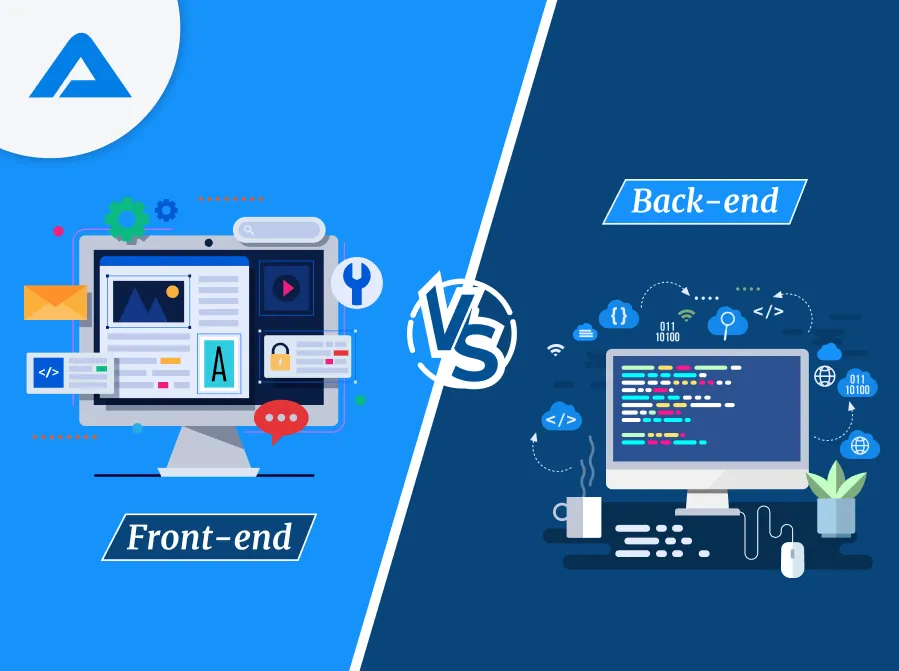
𝐅𝐫𝐨𝐧𝐭𝐞𝐧𝐝 𝐯𝐬 𝐁𝐚𝐜𝐤𝐞𝐧𝐝 𝐃𝐞𝐯𝐞𝐥𝐨𝐩𝐦𝐞𝐧𝐭: 𝐖𝐡𝐚𝐭'𝐬 𝐓𝐡𝐞 𝐃𝐢𝐟𝐟𝐞𝐫𝐞𝐧𝐜𝐞?


Frontend and backend development are the two basic streams of web development; both have its own focus for building a website or web application. Here's a breakdown of the differences:

Frontend Development

Front-end development refers to building the user-accessible part of the application that is what the users see and interact with in their web browsers.

Technologies Used:


  • HTML (Hypertext Markup Language): The structure of web pages.
  • CSS (Cascading Style Sheets): Styling and layout of web pages.
  • JavaScript: Provides the functionality to make web pages interactive and dynamic.
  • Frameworks/Libraries: React, Angular, Vue.js, Svelte, and many more.


Major Tasks:

Create the layout, structure, and design of the website .

Ensure the website is responsive; that is, it should be accessible and viewable on different screen sizes and devices.

Make the site aesthetically pleasing and ensure a good UX.

Manage the client-side logic, for example, what happens when a user clicks the button or submits a form.

Proficient understanding of design principles.


HTML, CSS, and JavaScript skills

Front-end frameworks and libraries knowledge

Responsive design and cross-browser compatibility


Back-end Development

The back-end part of the application is about developing the server-side, i.e., the part that the users do not directly interact with but powers the front-end and does data processing, storage, and server management.

Technologies Used:

  • Programming Languages: Python, Ruby, Java, PHP, Node.js, C#, etc.
  • Databases: SQL (e.g., MySQL, PostgreSQL) or NoSQL (e.g., MongoDB).
  • Server and Hosting: Apache, Nginx, Docker, cloud services like AWS, Azure, Google Cloud, etc.
  • APIs: RESTful APIs, GraphQL, WebSockets.
  • Frameworks: Django (Python), Express (Node.js), Laravel (PHP), etc.


Core Responsibilities:

  • Writing server-side logic that determines responses based on the frontend.
  • Managing databases to ensure proper storage, retrieval and update of information.
  • Ensuring Data security, integrity, and appropriate interconnection of frontend and backend. Such as using APIs.
  • Server management, user authentication, authorization, and authorization.

Skills Required:

  • Proficiency in backend programming languages and frameworks.
  • Knowledge of databases, relational as well as non-relational.
  • Ability to design APIs and integrate third-party services.
  • Understanding of server infrastructure, security, and performance optimization.

"We Can Help You Build Your Website – Contact Us Now!"

Friday, 10 January 2025

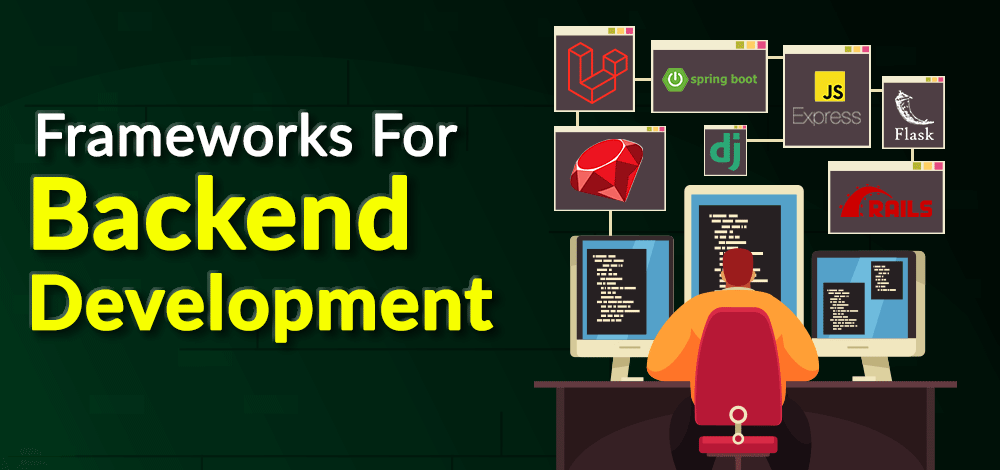
𝐌𝐨𝐬𝐭 𝐮𝐬𝐞𝐝 𝐁𝐚𝐜𝐤𝐞𝐧𝐝 𝐅𝐫𝐚𝐦𝐞𝐰𝐨𝐫𝐤


1. Node.js (Runtime Environment with Frameworks like Express.js)

Node.js is a runtime for JavaScript, enabling server-side scripting. It is often used in combination with Express.js, which is a minimalist framework for web application development.

Key Features:

Non-blocking I/O: it handles multiple requests at the same time.

Fast Execution: It is built on Google's V8 engine.

NPM Ecosystem: thousands of libraries available.

Pros:

Lightweight and efficient.

Single language for frontend and backend, that is, JavaScript.

Scalable for real-time applications like chat apps.

Use Cases:

Real-time applications, for example, chat apps, gaming.

Single-page applications (SPAs).

API services.

Examples:

LinkedIn, Netflix, Uber.


2. Django (Python)

Django is a high-level Python framework that is known to be simple yet scalable. Rapid development and clean, pragmatic design are emphasized.

Features

Batteries-included: Comes with ORM, authentication tools, and so much more

Security-first: Built with protection against most common vulnerabilities in mind

Admin Panel: An automatically generated admin interface for your backend

Advantages

Speeds up the development process.

Excellent community support.

High security.

Use Cases

E-commerce applications

Content management systems

Social networking sites

Examples

Instagram, Pinterest, Mozilla


3. Spring Boot (Java)

Spring Boot simplifies the creation of production-grade Spring-based applications.

Key Features

Microservices-ready: Perfect for building distributed systems.

Dependency Injection: Less boilerplate code.

Integrated Testing: Tools for unit and integration testing.

Advantages:

Very flexible and customizable.

Good security.

Scalable to huge enterprise applications.

Usage:

Enterprise software.

Systems of complex business logic.

Microservices architecture.

Examples:

Netflix, Amazon, eBay.


4. Ruby on Rails (Ruby)

Rails is a developers' favorite framework that's based on convention over configuration.

Important Features

Scaffolding: Generates lots of code quickly in development.

Active Record: Comes as an integrated ORM for managing database.

MVC Architecture: It has separation of concerns

Pros

It ensures high productivity in the developers' end.

Rich set of libraries (gems).

Strong community support.

Use Cases:

E-commerce websites.

MVPs for startups.

Social media platforms.

Examples:

Shopify, GitHub, Airbnb.


5. Laravel (PHP)

Laravel is a PHP framework for elegant and expressive coding.

Key Features:

Eloquent ORM: Makes database operations simple.

Blade Template Engine: Makes front-end integration easy.

Routing: Clean and intuitive route definitions.

Pros:

Easy to learn and use.

Large ecosystem (e.g., Laravel Forge, Vapor).

Excellent documentation.

Use Cases:

Web applications.

API development.

Custom CMS solutions.

Examples:

Deltanet Travel, Invoice Ninja.


6. Flask (Python)

Flask is a lightweight, microframework for Python, focused on simplicity and minimalism.


Main Features:

Extensibility: Add only what you need.

WSGI and Jinja2 Support: Ensures flexibility in app creation.

No ORM by Default: Lets developers choose database tools.

Pros:

Minimal learning curve.

Highly customizable.

Good for small to medium-sized projects.

Use Cases:

Prototyping.

Microservices.

RESTful APIs.

Examples:

Netflix, Reddit, Lyft.


7. ASP.NET Core (C#)

ASP.NET Core is a cross-platform, high-performance framework for building modern applications.

Main Features:

Integration with.NET ecosystem: Easy use of libraries and tools.

Cross-platform: Works on Windows, macOS, and Linux.

Cloud-ready: Optimized for modern cloud-based solutions.

Pros

High performance

Comprehensive tooling

Tight integration with Microsoft ecosystem

Use Cases

Enterprise-level applications

Cloud-based solutions

IoT applications

Examples

Stack Overflow, Microsoft.

"We Can Help You Build Your Website – Contact Us Now!"

Thursday, 9 January 2025

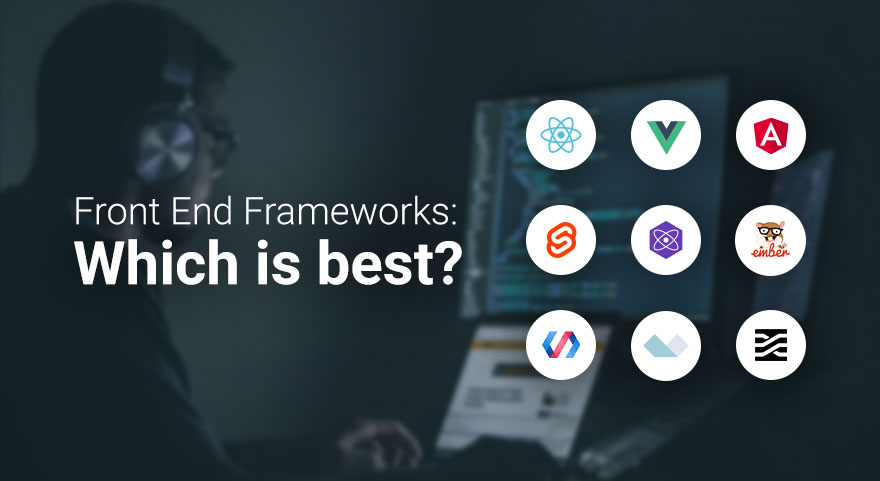
𝐌𝐨𝐬𝐭 𝐔𝐬𝐞𝐝 𝐅𝐫𝐨𝐧𝐭 𝐄𝐧𝐝 𝐅𝐫𝐚𝐦𝐞𝐰𝐨𝐫𝐤


Front-end frameworks are a developer's best tool to create UI for applications by providing pre-built components and libraries. Here is an overview of the most used front-end frameworks, their features, use cases, and strengths:


1. React.js

Developer: Meta (Facebook)

Release Year: 2013

Language: JavaScript

Core Features:

Component-Based Architecture: Breaks the UI into reusable components.

Virtual DOM: Efficient updates and rendering.

One-Way Data Binding: Ensures stable code and easy debugging.

Rich Ecosystem: Includes libraries like Redux for state management and React Router for navigation.

Strengths:

High performance due to Virtual DOM.

Backed by a large community and extensive documentation.

Flexibility to integrate with other libraries or frameworks.

Use Cases:

Building dynamic web applications (e.g., Facebook, Instagram, Airbnb).

Progressive Web Apps (PWAs).


2. Angular

Developer: Google

Release Year: 2010 (as AngularJS); complete rewrite in 2016 as Angular.

Language: TypeScript

Core Features:

Two-Way Data Binding: Synchronizes the model and view automatically.

Dependency Injection: Service management

Directives: It is used for adding custom HTML attributes for enhancing the functionality

Comprehensive Tools: Provides all that is needed to build, test, and debug

Pros:

Full-featured framework that gives a complete solution for front-end development

Great support for enterprise-grade applications

High performance because of Ahead-of-Time (AOT) compilation

Use Cases:

Developing big applications, like Google Workspace applications

Single Page Applications (SPAs)


3. Vue.js

Author: Evan You

Released in: 2014

Programming Language: JavaScript

Main Features:

Reactive Data Binding: The DOM automatically gets updated.

Template Syntax: Combines HTML with directives for dynamic rendering.

Component-Based: Modular and reusable components.

Lightweight: Smaller size compared to other frameworks.

Strengths:

Easy to learn and integrate into projects.

Strong community and rich ecosystem.

Flexibility without enforcing strict project structure.

Use Cases:

Building user-friendly interfaces for smaller to medium-scale projects (e.g., Alibaba, Xiaomi).

Prototyping and rapid development.


4. Svelte

Developer: Rich Harris

Release Year: 2016

Language: JavaScript

Core Features:

Compiler-Based: Converts components into highly efficient vanilla JavaScript during build time.

No Virtual DOM: Direct DOM updates for improved performance.

Reactive Declarations: Simplifies state management.

Strengths:

Extremely fast runtime performance.

Minimal boilerplate code.

Lightweight and easy to learn.

Use Cases:

Building high-performance web apps.

Applications where bundle size and speed are critical.


5. Next.js

Developer: Vercel

Release Year: 2016

Language: JavaScript (React-based)

Core Features:

Server-Side Rendering (SSR): Improves SEO and performance.

Static Site Generation (SSG): Pre-renders pages for speed.

API Routes: Built-in backend functionality.

Automatic Code Splitting: Optimizes bundle size.

Strengths:

Perfect for building modern web apps and websites.

Great support for hybrid rendering (SSR and SSG).

Smooth integration with React.

Use Cases:

E-commerce websites, such as Shopify.

Resource-heavy websites, like blogs or news portals.


6. Bootstrap

Developer: Twitter

Year of Release: 2011

Language: CSS, HTML, JavaScript

Key Features:

Responsive Grid System: Easy creation of responsive designs.

Pre-Styled Components: Buttons, modals, navigation bars, and many more.

Customizable: Theming is quite easy using SCSS variables.

Advantages:

Easy front-end development with components available for direct use.

Fully supports all the latest browsers.

Detailed documentation with numerous examples.

Use Cases:

Rapid prototyping.

Small sites with homogeneous design.

"Find Out What Your Website’s Missing – Let’s Talk Today"

Best Patterns Generator Websites for Your Design

  1. Pattern Monster Free online tool to generate seamless SVG patterns. Customizable colors, shapes, and scales. Download in multiple forma...