|
Principle 1: User-Centred Design:
A website should be designed with the user in mind, focusing on easy navigation, accessibility, and providing a seamless experience.
Principle 2: Simplicity:
Avoid unnecessary decorations and excessive elements that distract users. A simple, focused design helps users find what they need faster and improves overall experience.
Principle 3: Visual Hierarchy:
* Important Elements First: Arrange elements (text, images, buttons) in a way that guides the user’s attention to the most important parts first.
* Size and Contrast: Larger and more contrasting elements (e.g., buttons, headlines) naturally attract attention. Use this strategically to highlight key content.
* Spacing and Alignment: Proper spacing between text, images, and other elements makes the content more readable and aesthetically pleasing.
"Need a New Website? We Can Help – Contact Us Now!"
Principle 4: Consistency:
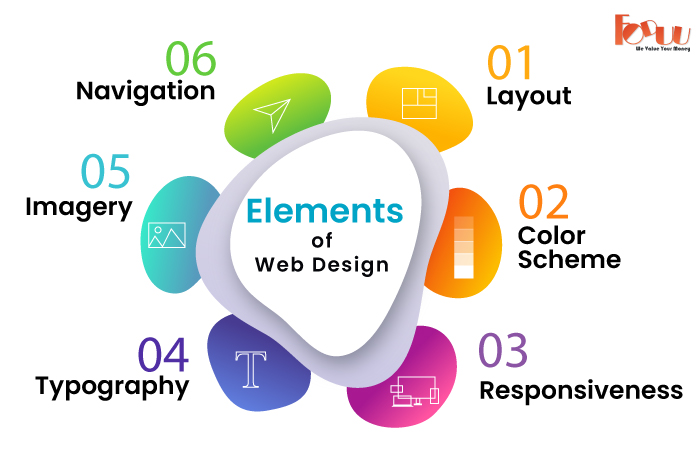
Design Consistency: Use the same colors, fonts, layout, and general style throughout the site for continuity.
Behavioral Consistency: Interactive elements (buttons, links, forms) behave the same everywhere on the site so users know how to interact with them.
Principle 5: Responsiveness:
A responsive website changes its layout and content to fit different screens and devices, offering an optimal viewing experience to users irrespective of whether they are accessing the website from a desktop, a laptop, a tablet, or a smartphone.
Principle 6: Fast Loading Speed:
Fast page-loading time is a critical principle of good design and has a significant impact on user engagement, conversion rates, and search rankings.
This is supported by the fact that users deserted websites that took more than a few seconds to load, as with many lost opportunities and revenue. In order to get sites to load much faster, these must be minimized: image compression, code minification, browser caching, and server response times. "We Can Help You Build Your Website – Contact Us Now!
Principle 7: Clear Navigation:
Clear navigation is part of the important elements of good website design that guarantees easy finding of information requirements and smooth movement through a site.
dropdown or mega menus is helpful when there is a lot of hierarchical content but doesn't clutter up the main navigation.
Principle 8: Engaging content:
Content is one very crucial principle of good web design in keeping users interested, informed, and motivated to dig deeper into the site.
Effective use of typography, be it in choosing correct text font size and space, can greatly improve readability and make the content more inviting to users.
Breaking up of the text into smaller, easily digestible chunks; using headings, subheadings, bullet points, and images to make it quick to scan and understand will help.
Principle 9: Call-to-Actions (CTAs):
A Call-to-Action (CTA) is a prompt on a website that encourages users to take a specific action. It's typically a button, link, or message that invites users to do something, such as buy a product, sign up for a newsletter, download an app, or contact support.
For example:
- "Buy Now" on an online store page
- "Subscribe" on a blog page
- "Learn More" on a product page